CoveSync keeps your files in sync across all your devices over your home network. Fast, private, and automatic — no cloud involved.
Linux free forever · Windows & macOS $27 one-time (one license, both platforms)
Most file sync tools are either too complex or send your files to the cloud. CoveSync is neither.
CoveSync is the only LAN sync tool designed to work without configuration files, device IDs, or secret keys.
| CoveSync | Syncthing | Resilio Sync | Dropbox / OneDrive | |
|---|---|---|---|---|
| Files stay on your network | ✓ | ✓ | ✓ | ✗ cloud only |
| Setup | 6-digit PIN | Device IDs + config files | Secret keys + manual pairing | Account signup |
| Account required | ✗ None | ✗ None | ✓ Required | ✓ Required |
| Auto firewall config | ✓ | ✗ | ✗ | — |
| Web UI | ✓ | ✓ | ✗ desktop app | ✓ |
| Windows & macOS | ✓ | ✓ | ✓ | ✓ |
| Linux | ✓ free | ✓ free | ✓ | ✗ |
| Android | Coming soon | ✓ | ✓ | ✓ |
| Price | $27 one-time | Free · open source | Free (registration required) | $10–15 / month |
Built for people who want reliable file sync without becoming a sysadmin.
Files sync directly between your devices. Nothing touches the cloud. No third party ever sees your data.
Add a new device in seconds. No accounts, no emails, no certificates to manage. Just a 6-digit code.
Runs as a background service on Windows and macOS. Starts at boot, syncs automatically whenever devices are on the same network.
Windows, macOS, Linux, and Android. Mix and match — your Mac and your Windows PC sync seamlessly. Android requires at least one PC on the same network.
All traffic between devices is encrypted with mutual TLS. No one on your network can intercept your files.
Traffic is restricted to private interfaces at the connection level — not just by design. Inbound connections from public IPs are rejected before TLS starts, and outbound sync only dials private addresses, even on machines with multiple network adapters.
Manage everything from any browser on your network. No app to install, no desktop GUI to learn.
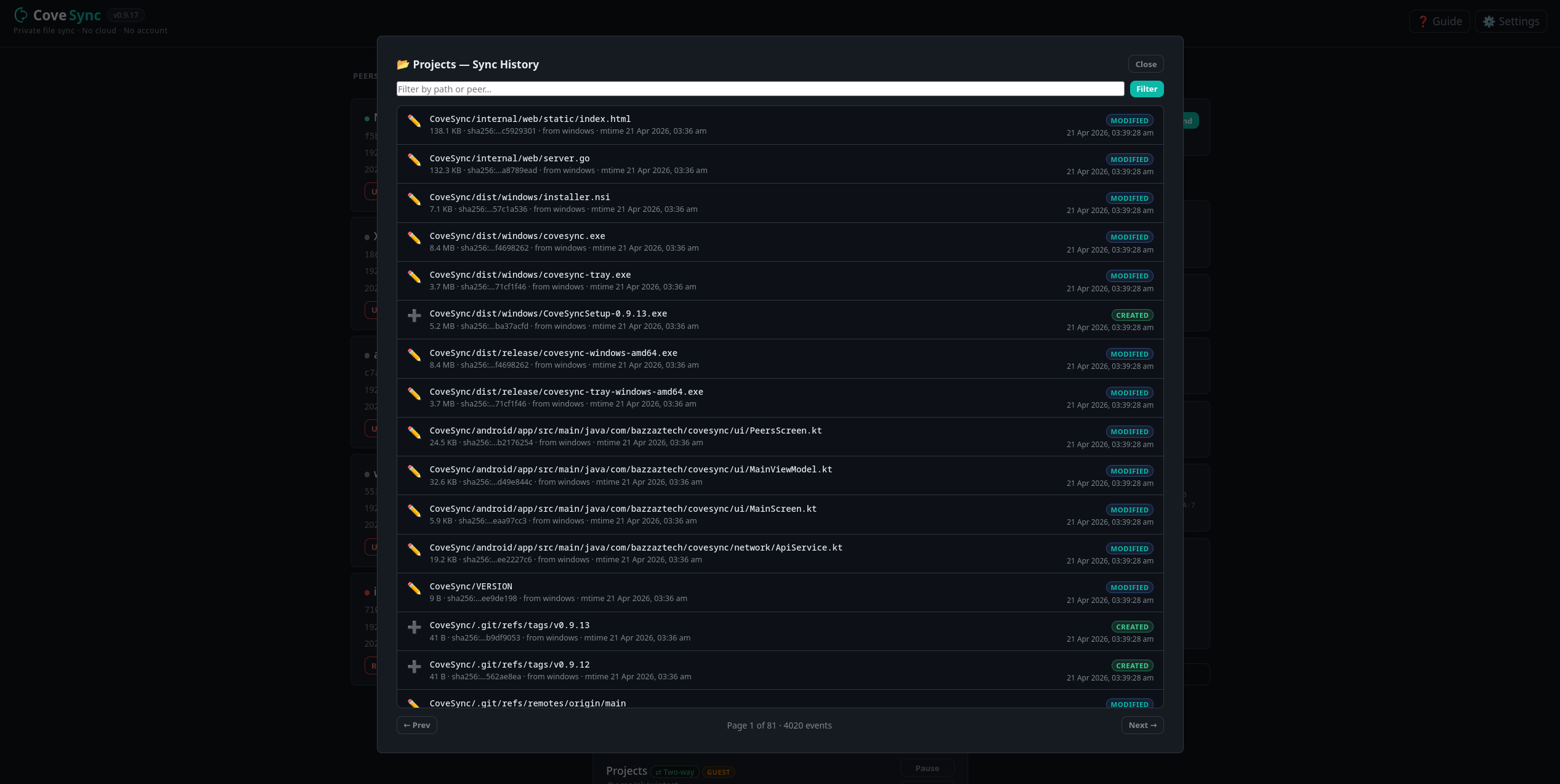
Every sync event is logged. Browse a searchable, filterable history of what synced, when, and from which device — folder by folder.
Browse the contents of any synced folder right in the web UI. Double-click images, documents, or any file type to open it instantly in the right app.
Copy something on one device, send it to any trusted peer on your network in one click. Content is delivered directly — nothing stored, nothing logged to the cloud.
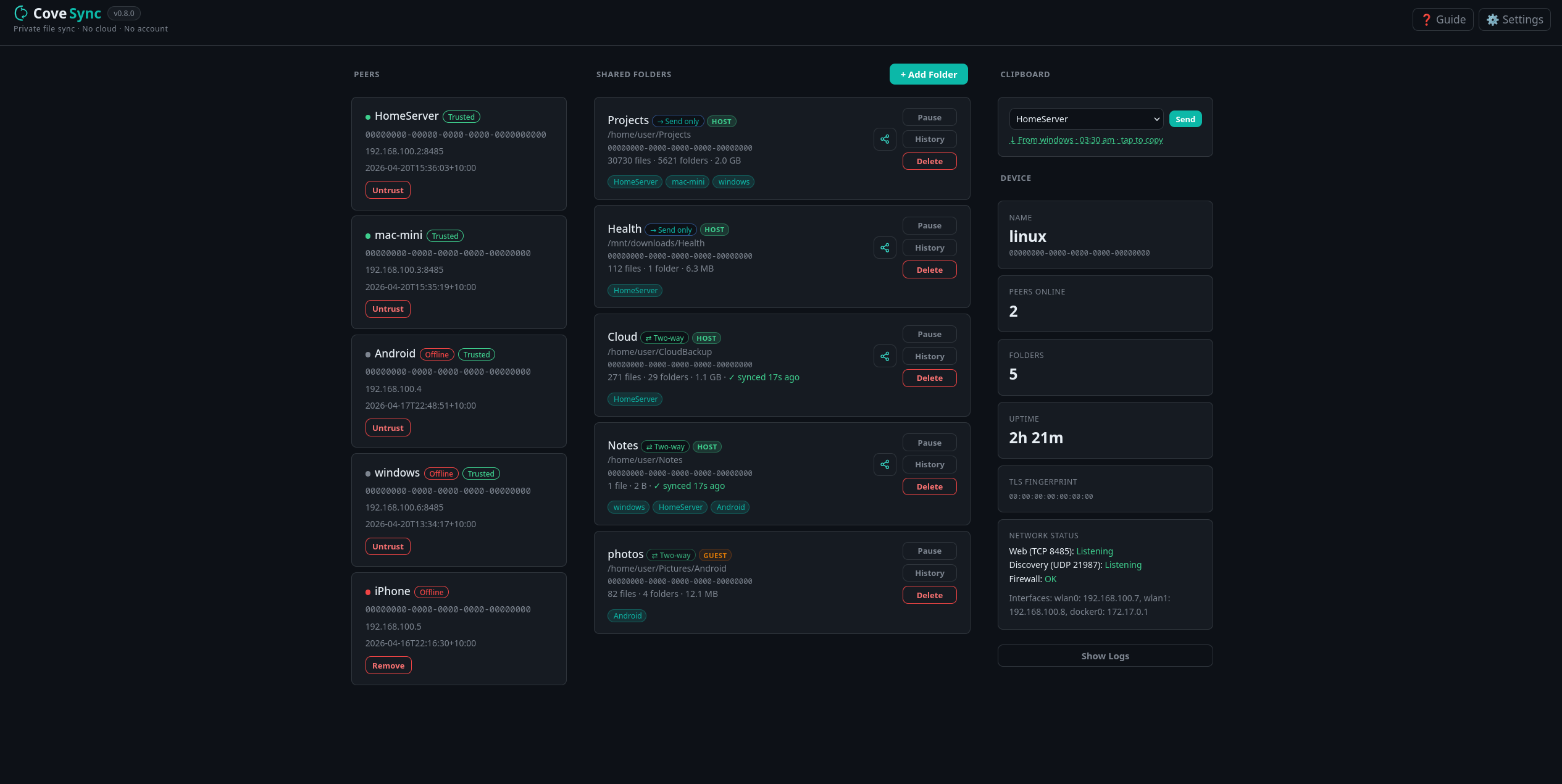
Peers, folders, and sync status — all on one screen. No settings files, no CLI required.
Main dashboard — peers, shared folders, and device info at a glance
No configuration files. No port forwarding. No cloud account.
Download and install CoveSync on each device. It registers itself as a background service and opens the required ports automatically.
Open the web UI on both devices. Enter the 6-digit trust code to pair them. That's it — they're connected and trusted.
Share a folder from one device to the other. CoveSync picks up changes automatically and keeps both sides in sync.
Pay once, own it forever. No subscriptions, no renewals, no surprises.
🛡️ 30-day money-back guarantee — no questions asked · details
Free forever
One license · Both platforms · All future updates included
Licensed independently via Google Play
One license file for the whole company. Displayed as "Licensed to Your Company (N seats)" in every UI. Same offline verification — no activation server, no phone-home.
$19 / seat · Windows & macOS
$16 / seat · Windows & macOS
$13 / seat · Windows & macOS
Linux is free. Windows and macOS require a one-time license — one purchase covers both platforms.
🔒 The macOS installer is notarized by Apple and code-signed by Ali Khusro (bazzaztech). You may see this name in the macOS security prompt when opening the app — this confirms it is authentic and unmodified since we built it.
Have a question? Get in touch.